
Teacher Grader — Grade Your Entire Class in Under Two Minutes
Enter the total number of questions once. Get every student’s percentage and letter grade instantly. A free classroom assessment tool built for teachers. No login. No spreadsheet. Just fast, accurate grading.

Teacher Grader
Enter total questions once, then add each student’s wrong answers. Get instant grades for your whole class.
| # | Student | Score | Grade |
|---|
How the Teacher Grader Works
Three simple steps. No spreadsheet. No manual math. Just fast, accurate grading workflow for your entire class.
Enter Total Questions
Type in the total number of questions on the test or quiz assessment. You only need to do this once for the entire class.
Enter Wrong Answers
For each student, enter the number of questions they got wrong. The grader instantly calculates their score and letter grade using the standard academic grading scale.
Get Every Grade Instantly
See every student's percentage score and letter grade in one place. Complete student performance tracking for your entire class in under two minutes with zero manual calculations.
What Is a Teacher Grader and How Does It Work?
A teacher grader is an online academic grading tool built for classroom use. It is designed for teachers, not individual students. It is built around the way teachers actually work — grading an entire class from a single test or quiz at one time.
You enter the total number of questions once. Then you enter how many questions each student got wrong. The tool calculates the percentage score and assigns the letter grade instantly, making student performance tracking simple and efficient.
The Grading Formula It Uses
The formula is simple. Correct answers divided by total questions, multiplied by 100. That gives the percentage score. The percentage is then matched to a standard US letter grade scale, including plus and minus grades — from A+ down to F.
The same formula applies to every student. There is no variation and no manual calculation required. Every score comes from identical logic, which keeps classroom management consistent and grading fair across the whole class.

How to Grade an Entire Class in Minutes
Traditional grading means working through papers one at a time. You calculate each score by hand, write it down, and move to the next. It is slow. It is repetitive. And it is easy to make errors when you are tired.
A teacher grader replaces that entire grading workflow. You set the total questions once. Then you move through each student entering only one number — wrong answers. Everything else is automatic.
The Two-Pass Grading Method
The fastest approach is a two-pass method. First pass — go through every paper and mark only the wrong answers. Write the count at the top of each paper. Do not calculate anything yet.
Second pass — open the teacher grader. Enter the total questions once. Then enter each student's wrong answer count in sequence. A class of 30 students takes under two minutes this way. No arithmetic. No second-guessing. Just fast, accurate results.
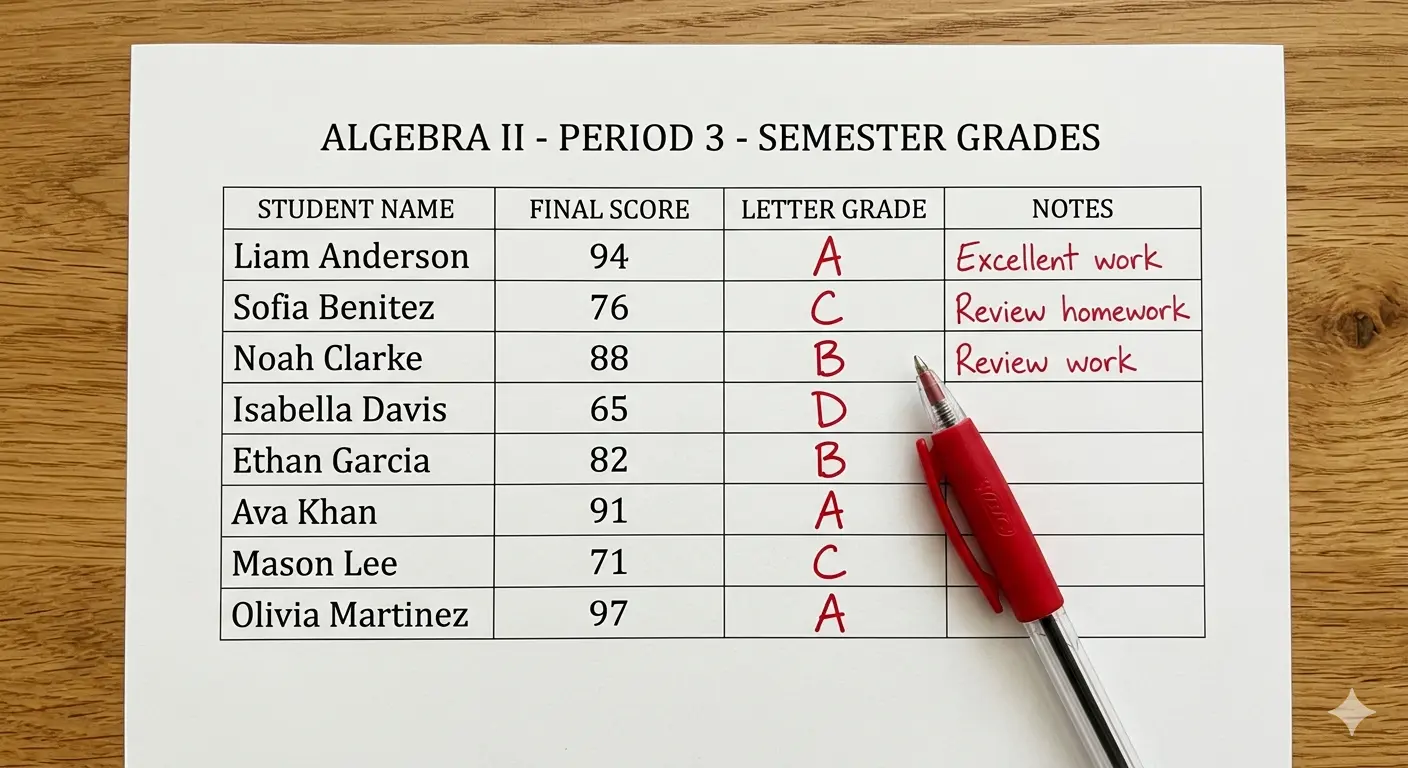
Why Teachers Need a Dedicated Grading Tool
Most online calculators are built for students. They are designed to check one grade at a time. That is the wrong tool for a teacher grading 25 or 35 students from the same assessment.
A dedicated teacher grader is built around the classroom management workflow. It handles batch grading. It applies the same scale to every student. And it removes the manual steps that slow teachers down and introduce errors.
Consistency Across Every Student
Grading consistency matters. Every student on the same test should be evaluated against the exact same formula and the same scale. Manual grading does not guarantee that. Fatigue and small arithmetic mistakes creep in.
A dedicated grading tool eliminates that risk. The formula never changes. The scale never shifts. Every student is graded identically. That consistency protects teachers when a student or parent questions a result.
How Teacher Graders Save Time and Reduce Errors
Arithmetic errors in manual grading are common. They happen more often near the end of a long grading session. A teacher grader removes the arithmetic entirely. The calculation happens automatically every time with zero chance of a rounding mistake or a misremembered formula.
The time savings are real and significant. Manual grading of a 30-student class can take 20 minutes or more. With a teacher grader, the same task takes under two minutes. Across a full school year, that adds up to hours of recovered time.
Where That Time Goes Instead
Recovered grading time goes back into the classroom. Lesson planning. Written feedback. One-on-one student support. These are the activities that actually improve learning outcomes and student intervention — not manual arithmetic on a stack of papers.
For teachers managing multiple classes or teaching high-stakes subjects like standardized test prep, the efficiency gain is even larger. Faster grading means faster feedback to students. And faster feedback means students can correct mistakes while the material is still fresh, which strengthens the feedback cycle and improves overall learning outcomes.

Tips for Teachers to Make Grading Faster and Easier
Use the two-pass method described above. Mark wrong answers on all papers first. Then enter the numbers into the grader in one sitting. This keeps your focus in one mode at a time and speeds up the whole session significantly.
Know your passing threshold before you start. The standard US passing score is 60 percent. Some schools and subjects use 65 or 70. Setting that in your mind before grading means you can instantly flag students who need intervention the moment results appear.
Use the Right Tool for Each Assessment Type
A teacher grader works best for objective assessments — multiple choice tests, true/false quizzes, and short answer papers with a fixed number of questions. For weighted assessments or semester grades, use a weighted grade calculator or semester grade calculator alongside it.
The EZ Grader Online teacher grader is free, requires no login, and works on any device. Use it at your desk, in the classroom, or anywhere you have a connection. It is one of the simplest and most practical grading tools available for teachers today.
Frequently Asked Questions
Everything teachers need to know about using the free online teacher grader.
What is the difference between a teacher grader and a regular grade calculator?
How many students can I grade at once?
Can I use a teacher grader for different types of assessments?
How do I set a custom passing score for my class?
Can I save or export my grading results?
Is this teacher grader free to use?
Start Grading Your Class in Seconds
Free. No login. No spreadsheet. Just enter total questions and wrong answers — and get every student's grade instantly.